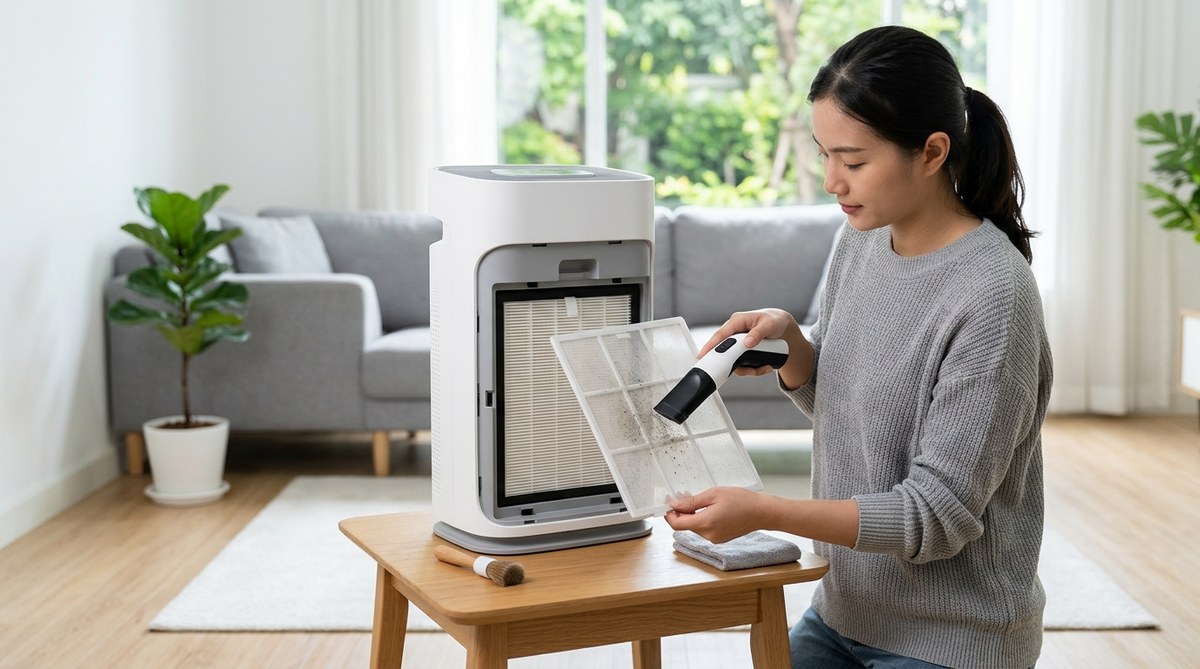
You bought an air purifier to breathe easier. You set it up, turned it on, and waited for the dust to disappear. But instead of cleaner air, you noticed something frustrating. Dust is still settling on your furniture. Maybe you even saw a puff of particles shoot out from the vents. You are not alone. Many homeowners deal with an air purifier blowing dust back into the room, and it almost always comes down to a few fixable problems.
An air purifier blows dust back into the room for three main reasons: a dirty or bypassed filter, a unit that is too small for the space, or poor placement near a wall or air vent. Fixing the issue usually means checking the filter seal, upgrading to a higher MERV or true HEPA filter, and moving the unit away from obstructions so air can circulate properly.
The Real Reasons Dust Escapes Your Air Purifier
It feels like a betrayal. Your air purifier was supposed to trap dust, not throw it around. But the physics of airflow can work against you if the machine is not set up correctly. Let us break down what is actually happening.
A Broken or Missing Filter Seal
The most common culprit is a filter that is not seated properly. Air purifiers rely on a tight seal between the filter and the housing. If there is even a small gap, air will take the path of least resistance. It will flow around the filter instead of through it. That unfiltered air picks up loose dust from inside the unit and pushes it right back out into your living room.
Check your user manual. Make sure you removed all plastic wrapping from the filter. Some new filters come shrink-wrapped, and people accidentally leave the plastic on. That blocks the airflow completely and forces dust to find another exit.
An Undersized Unit for Your Room
Your air purifier might be working too hard. Every unit has a recommended room size, measured in square feet. If you put a small purifier in a large, open living area, it cannot cycle the air fast enough. Dust builds up on the pre-filter and inside the fan blades. Eventually, the fan kicks that accumulated dust right back into the room.
The Association of Home Appliance Manufacturers (AHAM) suggests a unit should be able to clean the room’s air at least four times per hour. If your room is 400 square feet, you need a purifier with a CADR (Clean Air Delivery Rate) high enough to handle that volume. Using a unit designed for a 200 square foot bedroom in a larger space is a recipe for recirculated dust.
Poor Placement Near Walls or Furniture
Where you put the machine matters a lot. Air purifiers need clearance on all sides. If you tuck it into a corner or push it against a sofa, the intake vents get blocked. The fan has to work harder, which creates turbulence. That turbulence can stir up dust from the floor and blow it back out through the outlet vents.
Keep at least 12 to 18 inches of space around every side of the unit. The intake is usually on the front, back, or sides. The outlet is almost always on the top. If the top vent is blocked by a shelf or a low ceiling, the air has nowhere to go except back down toward the floor.
How to Diagnose the Problem at Home
You do not need special tools to figure out what is going wrong. Try these three tests.
- The flashlight test. Turn off the purifier. Shine a bright flashlight through the intake grille while looking at the outlet vents. If you see light passing through gaps around the filter, you have a seal issue.
- The tissue test. Hold a tissue near the outlet vent while the unit runs on high. The tissue should blow outward. If it gets sucked back in or flutters weakly, the airflow is obstructed or the filter is clogged.
- The surface test. Wipe a clean, dark surface near the purifier. Check it again after 24 hours. If you see more dust than before you started, the unit is likely recirculating particles.
Common Mistakes That Make Things Worse
Sometimes we accidentally make the problem worse. Here is a table that shows what people often do wrong and what to do instead.
| Common Mistake | Why It Backfires | The Better Approach |
|---|---|---|
| Running the unit on the lowest setting all the time | Low fan speed cannot create enough pressure to force air through a clogged filter | Use auto mode or a medium setting to maintain consistent airflow |
| Placing the purifier on a soft carpet | Carpet fibers and dust get sucked into the intake and blown back out | Put the unit on a hard floor or a low, solid stand |
| Forgetting to clean the pre-filter | A caked pre-filter forces air around the main HEPA filter | Wash or vacuum the pre-filter every two to four weeks |
| Using an ionizer or ozone feature indoors | These can create static charge that attracts dust to surfaces, making it look like the purifier is spreading dust | Turn off ionizer modes and stick with mechanical filtration |
| Closing all doors and windows | Sealed rooms build up higher concentrations of indoor dust | Keep a small gap under the door or crack a window for ventilation |
A Step-by-Step Plan to Stop the Dust Recirculation
If you want to fix the issue today, follow this numbered process. It takes about 30 minutes and does not require any tools.
- Unplug the unit and remove the filter. Check for plastic wrap. Remove it if you find any. Inspect the filter for heavy discoloration or clumps of hair and debris. If it looks dark gray or has a musty smell, replace it.
- Vacuum the interior. Use a soft brush attachment on your vacuum to clean the fan blades, the interior walls, and the pre-filter screen. Dust loves to hide inside the fan housing.
- Reinstall the filter with a tight seal. Push it in until you hear a click or feel it lock. Check the edges. Some units have a foam gasket that should sit flush against the filter frame.
- Move the unit to an open spot. Place it at least three feet away from the nearest wall. Keep it away from curtains, pet beds, and high-traffic areas where people stir up dust.
- Run a high-speed purge. Turn the purifier to its highest fan speed for 30 minutes. This clears any loose dust from the system and helps you confirm the airflow is strong and even.
- Monitor the dust levels. Check your surfaces the next morning. If you see less dust, the fix worked. If not, you may need a larger unit or a different filter type.
What Kind of Filter Actually Stops the Dust?
Not all filters are created equal. A standard fiberglass filter might catch large particles but let fine dust pass through. True HEPA filters are the gold standard for trapping particles as small as 0.3 microns. That includes most household dust, pollen, and pet dander.
If your unit uses a “HEPA-type” or “HEPA-like” filter, it is not the same thing. Look for a filter that explicitly says “True HEPA” or has a MERV rating of 13 or higher. For a deeper breakdown of how different filter technologies compare, you can read our guide on the ultimate guide to HEPA vs. UV-C air purifiers.
“A true HEPA filter should capture 99.97% of airborne particles. If your unit is blowing dust around, the filter is either not true HEPA, not sealed properly, or it is completely saturated.” — Indoor Air Quality Specialist, EPA Region 5
When to Upgrade Instead of Repair
Sometimes the fix is not a filter swap. It is a hardware issue. Older units with worn fan bearings can vibrate and shake loose dust from inside the chassis. Units that use electrostatic precipitation (ESP) technology can produce ozone and also release charged particles that stick to walls and look like dust.
If your purifier is more than five years old and you have tried all the fixes above, it might be time for a new one. Look for a model with a sealed HEPA system and a high CADR rating. You can find recommendations in our list of top air purifiers for allergies and asthma relief in 2026.
The Role of Humidity in the Dust Cycle
Dry air makes dust problems worse. When indoor humidity drops below 30%, dust particles become lighter and more likely to float. They also carry a static charge that makes them stick to fan blades and interior surfaces. When the fan kicks on, that static charge releases the dust in a puff.
A humidifier can help, but you need to use it carefully. Too much moisture encourages mold and dust mites. Aim for a humidity level between 40% and 50%. You can learn more about balancing moisture levels in our article about tired of dry air? how to balance humidity levels when running your air purifier.
How to Prevent the Problem Long Term
Once you have stopped the immediate dust blowing, you want to keep it from coming back. Here are the habits that make a difference.
- Replace filters on schedule. Most manufacturers recommend replacement every six to twelve months. If you have pets or live near a busy road, replace them more often.
- Vacuum the pre-filter monthly. A clean pre-filter catches large particles before they reach the HEPA filter. This extends the life of your main filter and keeps airflow strong.
- Keep the unit off the floor. Raising it by six to twelve inches reduces the amount of floor dust it pulls in.
- Seal gaps around doors and windows. Outdoor dust and pollen sneak in through cracks. Use weatherstripping or caulk to close them off.
- Use a doormat. A simple mat at every entrance traps dirt and dust before it becomes airborne.
A Final Look at the Whole Picture
Let us summarize the key points in a simple list so you can check them off.
- A dirty or unsealed filter is the number one reason for dust recirculation
- Undersized units cannot keep up and end up blowing dust around
- Poor placement near walls or furniture blocks airflow
- True HEPA filters with a tight seal are essential
- Regular maintenance stops the problem from returning
- Humidity control helps keep dust from becoming airborne
Take Control of Your Indoor Air Today
You do not have to live with a machine that seems to make things worse. The fix is usually simple and takes less than an hour. Check your filter. Move your unit to a better spot. Clean the interior. Run a high speed purge. You will notice the difference within a day.
If you still see dust after trying these steps, consider upgrading to a properly sized unit with a sealed HEPA system. Your lungs and your furniture will thank you. For more guidance on choosing the right device, check out our top tips for choosing the right air purifier to reduce allergens and pollutants. Clean air is worth the effort, and you can achieve it without a cloud of dust following you around.